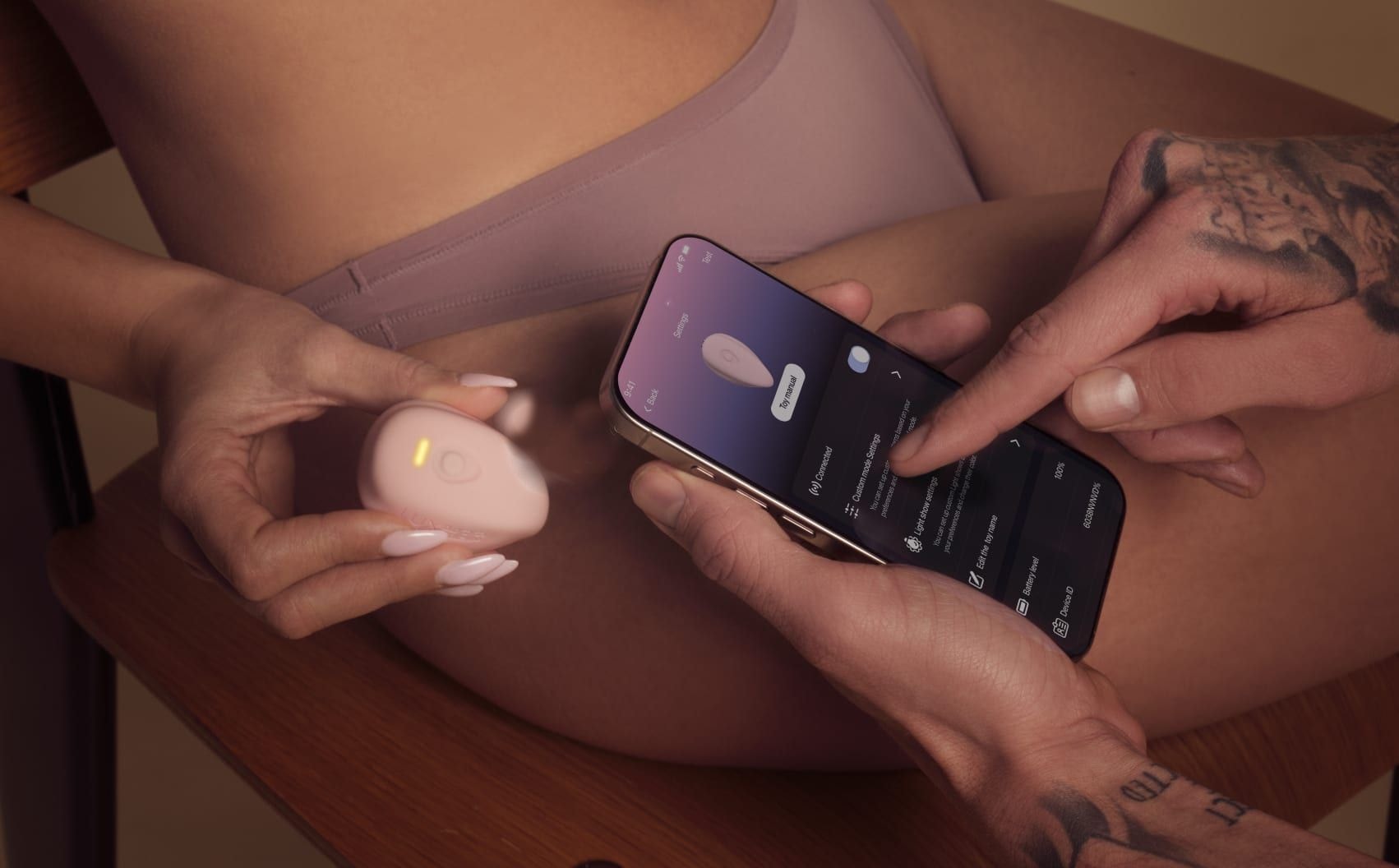

How to Use the Lovense Remote App as a Couple: Same Room, Long Distance, Control Link
He’s in Calgary, she’s in Montreal. 9:30 p.m. her time, 7:30 his. She’s on the couch, phone face down, a glass of wine she hasn’t touched. Then the screen lights up: “Ready?” A second later, the toy she put on after dinner wakes up, softly, as if he were in the room. She didn’t touch anything. He did, three thousand kilometres away.
All of that happens in one free app: Lovense Remote. Here is how it feels, when in the evening to use it, and then the steps, for her side and his. Everything below comes from Lovense’s own app page, guide and FAQ; when Lovense doesn’t spell out a step, we say so instead of guessing.
Overview based on manufacturer info, not a hands-on test · partner links
In short
- One app for couples: Lovense Remote, free, on iPhone, Android, Mac and Windows (Windows needs Lovense’s USB Bluetooth adapter).
- Same room: Bluetooth, straight from the app. No pairing code.
- Long distance: an account each, add each other as friends, Wi-Fi or 4G/5G on both sides.
- He doesn’t need a toy to control hers (and the other way round).
- If it drops: connect in the app, one phone at a time, update the firmware, stable internet on both ends.
Which Lovense app do you need?
Lovense lists several free apps. For a couple, the answer is short: Lovense Remote. The other two names you’ll see in search results do different jobs.
| Lovense Remote | Lovense Connect | VibeMate | |
|---|---|---|---|
| What it is | Lovense’s main app: control your toys, chat, call and share control with your partner | Another Lovense app name; its page on lovense.com no longer opens (October 2026) | An app that syncs compatible toys to videos with “AI Sync” (500+ video websites, livestreams) |
| For couples? | Yes: long distance, Live Control, Sync Control, Control Link, video and voice calls | Everything a couple needs is in Lovense Remote | Not built for couples: it is about solo video content |
| Cost | Free | — | Free download |
- What it is
- Lovense’s main app: control your toys, chat, call and share control with your partner
- For couples?
- Yes: long distance, Live Control, Sync Control, Control Link, video and voice calls
- Cost
- Free
- What it is
- Another Lovense app name; its page on lovense.com no longer opens (October 2026)
- For couples?
- Everything a couple needs is in Lovense Remote
- Cost
- —
- What it is
- An app that syncs compatible toys to videos with “AI Sync” (500+ video websites, livestreams)
- For couples?
- Not built for couples: it is about solo video content
- Cost
- Free download
First pairing in 3 steps
- Turn the toy on by holding its button until the light flashes.
- Turn on your phone’s Bluetooth, open Lovense Remote and tap the connection icon in the top right corner.
- Tap “+” to search, then “Done” once the toy appears.
Don’t pair it in your phone’s Bluetooth settings: Lovense says no pairing code is needed and everything goes through the app. You can rename the toy in the app (“Edit” under its name), handy if you share a phone at home.
Together in the same room
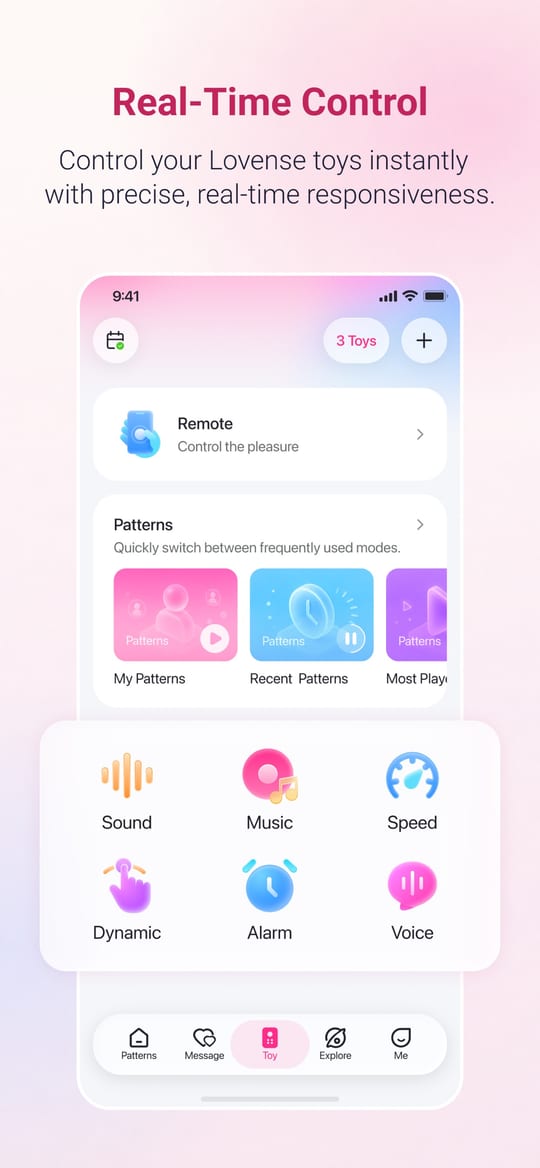
This is where to start, even if you plan to play at a distance later. On the Toy page you choose a control mode: the slider for intensity, or a mode where the toy follows something else. Lovense describes it as making the toy respond in real time to sound, music, motion or voice.
- Her side: she wears it, he holds the phone, and she says nothing for the first five minutes. Only “more” or “less”. It’s the fastest way for him to learn what she likes.
- His side: learn the slider before the evening. Five minutes alone with the toy on the table, and you won’t spend the night hunting for the right button.
- Music: Lovense Remote syncs with Spotify Premium and with DRM-free music stored on your phone. Pick the playlist together; let the bass lead. More ideas in playing to music or video.
Long distance: when he’s in another city
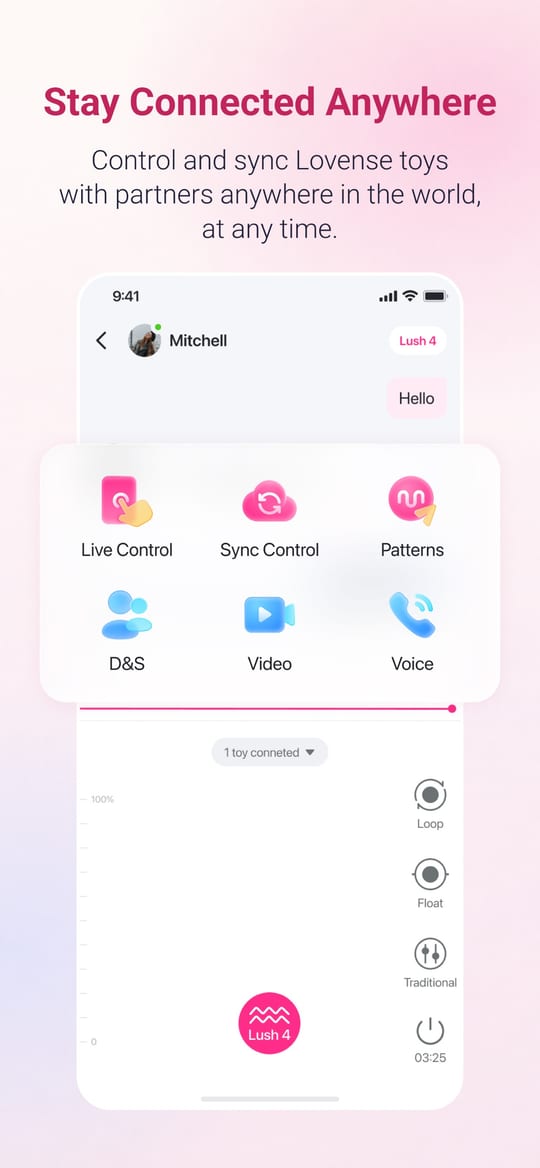
- Each of you creates an account and you add each other as friends (the “+” at the top right). Lovense is clear: both partners need an account.
- Open your chat and tap “+”. You’ll find Live Control, Sync Control, patterns, video and voice call. Live Control stays greyed out until the other person’s toy is connected.
- Talk while you play. Lovense’s page puts it simply: talk face to face while your toys stay connected.
Sync Control is for two toys: one person controls both at once, or the toys answer each other (the Nora + Max 2 pair is made for this). Control Link lets you create a link that invites someone to control your toy; Lovense’s FAQ adds a report icon in the chat window during a Control Link session. Lovense doesn’t publish a detailed walkthrough for the link, so we won’t invent one: open the chat, tap “+”, and the options are there.
If the connection drops
“It keeps disconnecting” is the most common complaint about app toys. These tips come from Lovense’s own help pages:
- Connect through the app, not your phone’s Bluetooth settings. No pairing code is needed.
- One phone at a time. A toy connects to one device at once: close the app on the other phone or tablet.
- Check for a firmware update. The “Firm Update” icon appears in the app when one is available; Lovense says updates can improve Bluetooth connectivity.
- At a distance, both need a stable connection. Wi-Fi or 4G/5G on both sides; if it lags, move closer to the router or switch networks.
- Keep it out of the water for remote play. Lovense warns that Bluetooth in or under water may not be stable.
Privacy in the app
- Your chats in one place: Lovense presents Remote as keeping your messages, calls and control moments “in one private place”.
- Permissions are your choice: the app asks for storage, camera or microphone for its features; you can refuse, and only those features stop working.
- Block anyone: decline a request and block, or turn on “Block this contact” in a chat’s settings.
- Leave cleanly: you can delete your account from “My Account” on lovense.com.
Features most couples miss
Most couples stop at the slider. The app’s Discover tab holds a lot more, and a few of these change the evening completely:
- Patterns: Lovense counts more than 2 million patterns shared by users. Save the one that works and send it to him: next time he plays it, he knows exactly what it does to you.
- Sound, Music and Voice Control: the toy follows a sound, your playlist or your voice. Lovense puts it as “let music, sounds, or videos drive your toy’s vibrations”. Whisper and it answers. More on music and video sync.
- Speed Mode and Game Mode: Game Mode syncs the toy with games, “to combine visual and touch sensations”, as Lovense puts it; Speed Mode sits right next to it. Good for a playful first ten minutes that soon stop being a game.
- Alarm: it sits in the same Discover list. Lovense doesn’t explain on its pages how it works, so we won’t promise more than its name: an alarm, set on the toy.
- Wish List and Gift: two more entries in Discover, for the toy you’d like next. Handy before a birthday; see also gifts for her and gifts for him.
- Control Roulette: the bold one. The app matches you at random with someone who gets control of your toy. You set your gender, a 60-character “About Me”, blocked keywords, who you’re interested in, and how much you talk: No Chat, Intimate Texting, Suggestive Talk or Voice Messages. It is free in Lovense Remote (as of October 30, 2026). For a couple, it’s a fantasy to agree on before, not a surprise: decide together if she plays, if he watches, and when you stop.
- Link Hub: a public showcase of anonymous Control Links, one-on-one or group, each with a timer. Users set the tone there, and it is very adult. Roulette is gentler, because your own settings filter it.
- AI Companion (beta): listed in Discover; we haven’t covered it.
Lovense or Kiiroo, app only. Both apps are free. Kiiroo’s FeelConnect is built around a private session with your partner: live control and response, video chat, your own patterns, and sync with interactive videos. On Kiiroo’s official pages we found no stranger matching, no alarm and no music mode. If you want the private two-person version, both work; if you’re curious about strangers or music, only Lovense Remote has it.
| Lovense Remote | Kiiroo FeelConnect | |
|---|---|---|
| Partner control at a distance | Live Control, Sync Control, Control Link | Private session: live control and response |
| Call in the app | Video and voice | Video chat |
| Strangers | Control Roulette, Link Hub | None found |
| Music and sound | Yes | Not found |
| Alarm | Listed in the app | Not found |
| Cost | Free | Free |
- Partner control at a distance
- Live Control, Sync Control, Control Link
- Call in the app
- Video and voice
- Strangers
- Control Roulette, Link Hub
- Music and sound
- Yes
- Alarm
- Listed in the app
- Cost
- Free
- Partner control at a distance
- Private session: live control and response
- Call in the app
- Video chat
- Strangers
- None found
- Music and sound
- Not found
- Alarm
- Not found
- Cost
- Free
Which toy for which evening
- For her, out or at home: Lush 4, the wearable egg he controls from across the table or across the country. Our Lush 4 review.
- For him: Max 2, the app-controlled stroker. Our Max 2 review.
- For two cities: Nora + Max 2, the pair that answers each other. Our Nora review.
- For him, hands-free: Gush 2 Motion or Edge 2.
The toys in this guide
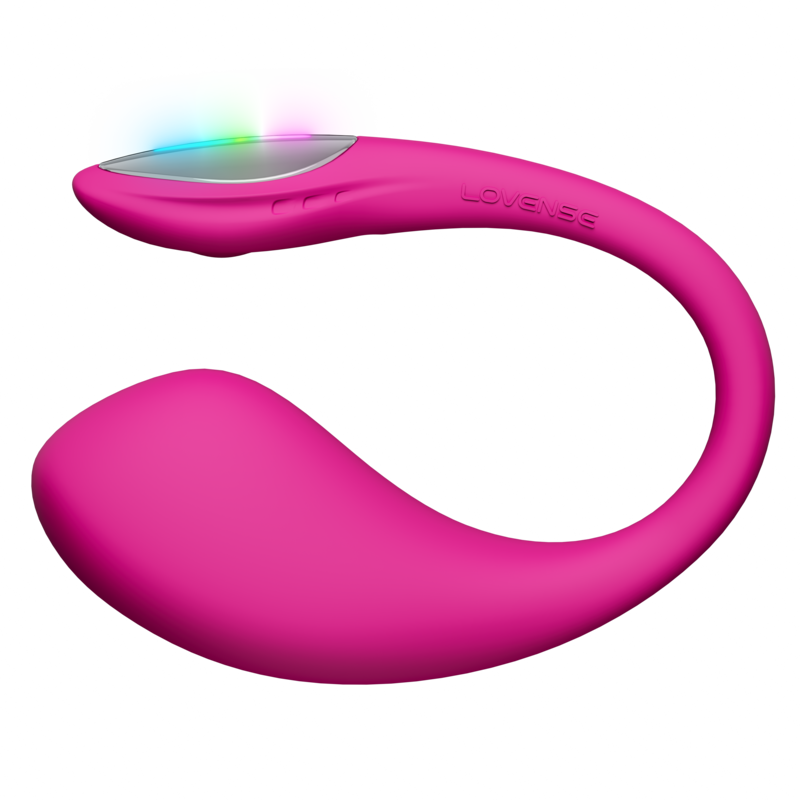
Lush 4
For: Her · solo, couples, long distance
Control: Lovense Remote app, nearby or at a distance (Control Link)
- Pro: Wearable, hands-free
- Pro: IPX7 waterproof
- Pro: Up to 350 min of battery, 45-min charge
- Con: Battery life varies with intensity (122 to 350 min)
Price: see lovense.com (it changes often)
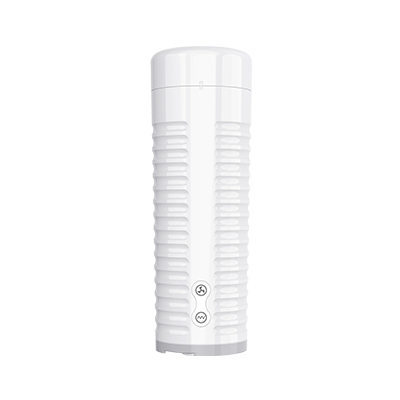
Max 2
For: Him · solo, couples, long distance
Control: Lovense Remote app; Toy Sync: controls other Lovense toys, syncs with Nora at any distance
- Pro: 360° vibrations and contractions
- Pro: Textured sleeve
- Pro: Battery: 95 to 215 min
- Con: Weight: 750 g
- Con: IPX6 water-resistant
Price: see lovense.com (it changes often)
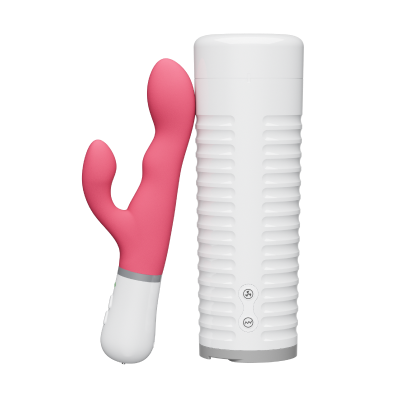
Nora + Max 2
For: Couples, including long distance
Control: Lovense Remote app; sync: the faster you thrust with Max 2, the stronger Nora vibrates, and vice versa
- Pro: The two toys respond to each other, even at a distance
- Pro: Each one also works on its own
- Con: Max 2 weighs 750 g
- Con: Both IPX6: water-resistant, not waterproof
Set price: see lovense.com (it changes often, so we don’t list it here)
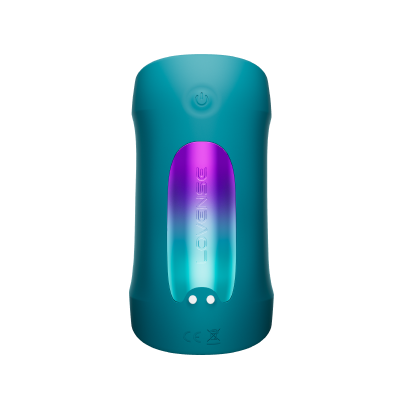
Gush 2 Motion
For: Him · solo, couples, long distance
Control: Lovense Remote app; Toy Sync: can control other Lovense toys
- Pro: Hands-free: vibrates and oscillates
- Pro: Stretch-to-fit silicone wings and adjustable band
- Pro: IPX7 waterproof
- Con: Battery: 70 to 110 min depending on intensity
- Con: 75-min charge
Price: see lovense.com (it changes often)
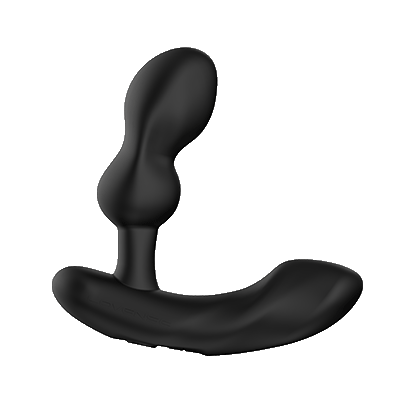
Edge 2
For: Him · solo, couples, long distance
Control: Lovense Remote app: prostate and perineum controlled separately
- Pro: Dual motor, prostate and perineum
- Pro: Bendable, adjustable neck
- Pro: IPX7 waterproof
- Con: Battery: 65 to 130 min depending on intensity
Price: see lovense.com (it changes often)
Try it tonight: 20 minutes, step by step
- Minute 0–5: same room. Connect the toy together and let him find the slider while she only says “more” or “less”.
- Minute 5–10: each picks a pattern from the community tab; play them in turn and keep the one that made her stop talking.
- Minute 10–15: separate rooms. Video call in Lovense Remote, Live Control on.
- Minute 15–20: she hands him the evening. No more instructions: he reads her face on the call.
Then go further: long-distance toys for couples, the best long-distance toys, playing across time zones and toys synced to music or video. Not sure which toy is yours? Take our 60-second couple quiz. And for the story of a couple who live exactly this, read Two Cities, chapter 1.
FAQ
Does Lovense Remote work without internet?
In the same room, the app talks to the toy over Bluetooth. For long distance, Lovense says both of you need Wi-Fi or a 4G/5G data connection.
Can my partner control it from another country?
Yes. Lovense says the toys can be controlled no matter the distance, as long as you both have a stable internet connection and the Lovense Remote app.
Lovense Remote or Lovense Connect?
For a couple, Lovense Remote: long distance, Live Control, Sync Control, Control Link, calls and patterns are all there. The Lovense Connect page on lovense.com no longer opens.
Why does my Lovense keep disconnecting?
Lovense’s tips: connect in the app (not in the phone’s Bluetooth settings), use one device at a time, install firmware updates, and keep a stable connection on both sides at a distance.
Is Lovense Remote free?
Yes. The app is free; you only need a Lovense toy, and an account each for long distance.
Does he need a toy too?
No. Lovense says your partner doesn’t need a toy to control yours; an account and a Wi-Fi or 4G/5G connection are enough.
Sources: lovense.com Lovense Remote page, app guide and FAQ, Lovense × VibeMate page (read October 29, 2026); Lovense Remote App Store listing (read October 20 and 30, 2026); the Lovense Remote app itself (Discover and Control Roulette screens, October 30, 2026); Kiiroo FeelConnect page on kiiroo.com and its App Store listing (read October 30, 2026). Screenshots: App Store.